Behaviors
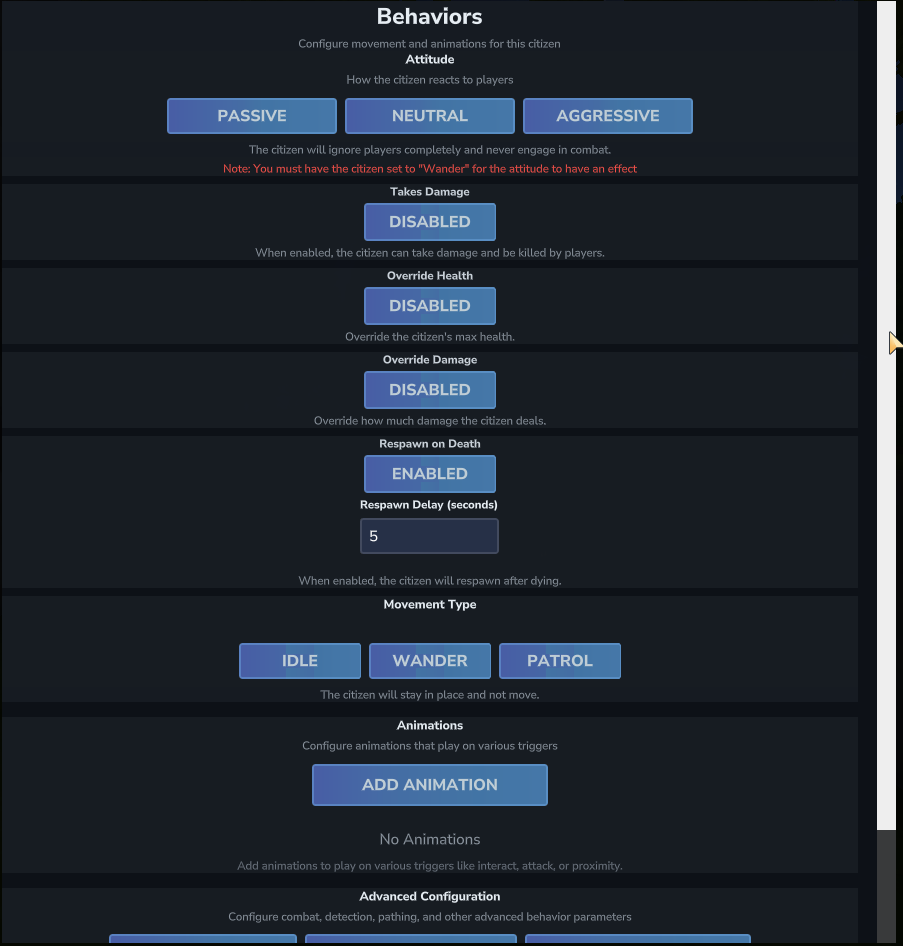
The Behaviors screen is where you configure everything about how a citizen acts in the world — from how they move and fight, to what animations they play and whether they can die.
Opening Behaviors
To open the Behaviors screen, go to Edit Citizen → Behaviors in the Quick Actions section.
Attitude
Attitude controls how the citizen reacts to nearby entities. There are three options:
| Attitude | Behavior |
|---|---|
| Passive | The citizen completely ignores all entities. It will never engage in combat, even if attacked. |
| Neutral | The citizen only attacks entities that attack it first. It will defend itself but won't initiate. |
| Aggressive | The citizen attacks entities on sight. |
Attitude Requires Wander Movement
Attitude only has an effect when the citizen's Movement Type is set to Wander. A citizen set to Idle will not engage in combat regardless of Attitude setting.
Attack Other Entities
By default, citizens using Neutral or Aggressive attitude target players. Enable Attack Other Entities in the Attitude configuration to allow the citizen to also attack non-player entities such as other NPCs or mobs.
Takes Damage
This toggle controls whether the citizen can take damage from players at all. When disabled, the citizen is completely invulnerable — attacks pass through without effect. When enabled, the citizen can be hurt and killed.
Override Health
When enabled, you can set a custom maximum health value for the citizen. The health input accepts values from 1 to 1,000,000,000. Leave this disabled to use the entity type's default health.
Override Damage
When enabled, you can set a custom damage amount for the citizen's attacks. Leave this disabled to use the entity type's default damage.
Respawn on Death
When enabled, the citizen will respawn automatically after being killed. You can set a Respawn Delay (in seconds) to control how long after death the citizen reappears. The citizen respawns at its original spawn location.
Health Regeneration
When enabled, the citizen will gradually regenerate health over time. You can configure the Regeneration Amount (health restored per tick) and the Regeneration Interval (how often regeneration applies, in seconds).
Movement Type
Choose how the citizen moves around the world. See Movement & Patrol for a full explanation of each type and all available settings.
| Type | Behavior |
|---|---|
| Idle | The citizen stays in place and does not move. |
| Wander | The citizen walks around randomly within a configurable radius. Required for Attitude to work. |
| Patrol | The citizen follows a named patrol path with defined waypoints. |
Animations
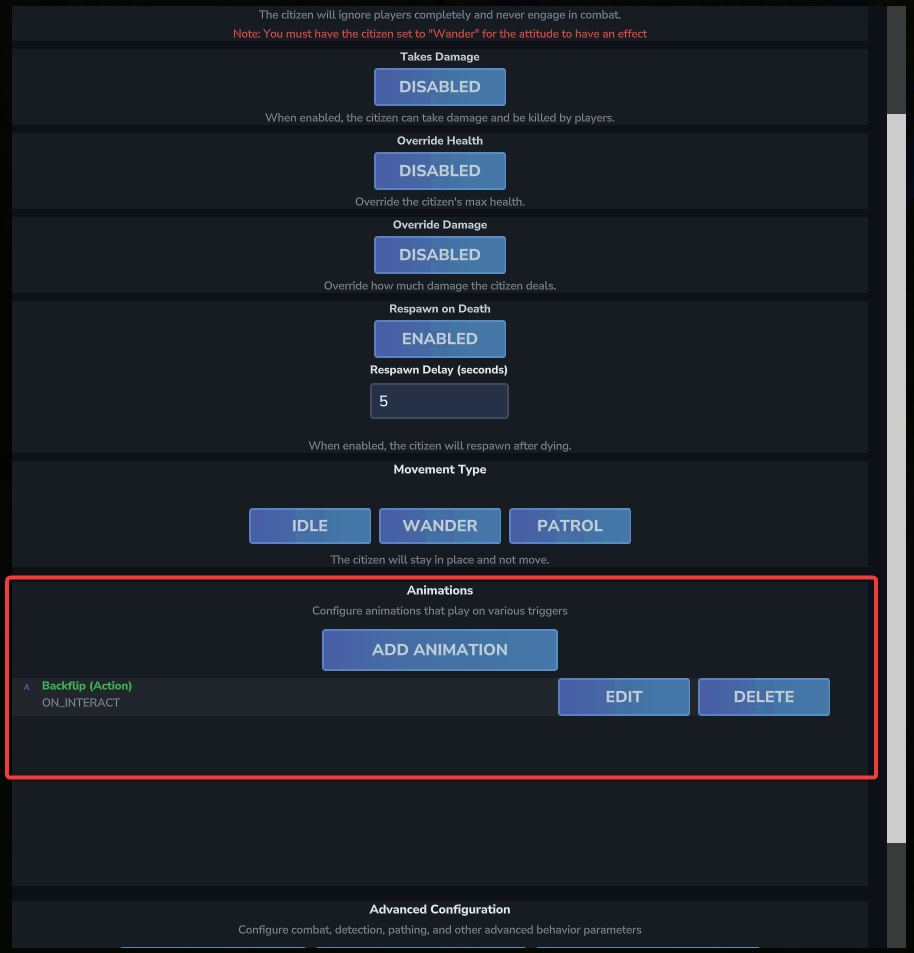
The Animations section lists all animation behaviors configured for this citizen. Click Add Animation to add a new one, or use the Edit and Delete buttons on each entry. See Animations for a full walkthrough of the animation editor.
Advanced Configuration
The Advanced Configuration section at the bottom of Behaviors provides access to four specialized sub-screens:
| Button | What it Configures |
|---|---|
| Combat Config | Attack type, attack distance, chase speed, blocking, strafe behavior, and all other combat parameters. See Health & Combat. |
| Detection Config | View range, hearing range, field of view, alerted timers, and call-for-help settings. See Health & Combat. |
| Advanced Settings | Additional internal behavior parameters. |
| Death Config | Item drops, messages to the killer, and commands triggered when the citizen dies. See Death Configuration. |